Case study
Structura
A diagram tool that is neither a text editor nor a drag-and-drop mess — you build UML and ER diagrams through a structured UI.
Free-tier host, first load may take ~30s.
Problem
Diagramming tools tend to fall into one of two camps. Text-first tools like PlantUML and Mermaid are fast to write but demand you hold the whole syntax in your head. Canvas tools are immediate but turn structure into pixel positions — the diagram stops being data, and editing it later means dragging boxes around again.
Neither is a good fit for "I know the entities and the relationships, I want a correct UML or ER diagram out of it".
Key technical decision, and the trade-off
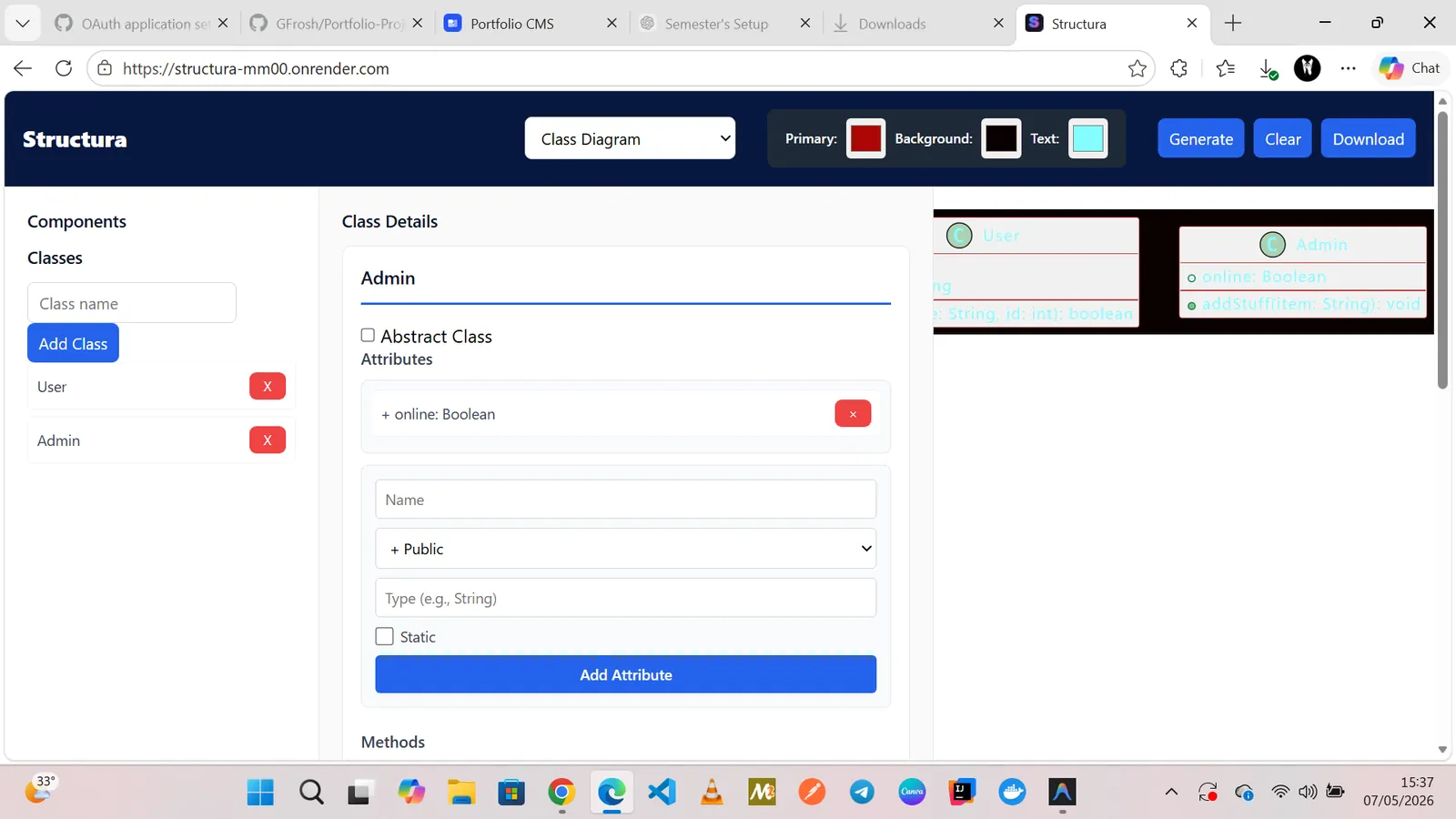
Decision: model the diagram as structured data first, and treat rendering as a pure function of that data. The UI is a form editor over the model, not a canvas. Users declare entities, attributes and relationships in a shaped interface, and the diagram is generated from the resulting document.
Why: structure survives round-tripping. Because the source of truth is a typed document rather than a set of coordinates, the same model can be re-rendered at a different layout without the user redoing work, and it can be exported to PlantUML for anyone who wants the text form.
The trade-off: freedom of layout. A structured editor cannot place a box in an arbitrary position, so genuinely irregular diagrams — the ones where position carries meaning — are outside its scope. I took the constraint deliberately: the class of diagram the tool targets is regular by nature, and in exchange every diagram is valid by construction.
Architecture
Express app
incoming request
rateLimiter(opts)
middleware, one line
Sliding window
prune → count → decide
Result
Has predefined layouts
What I'd do next
- Add a keyboard-first editing path with command shortcuts for creating entities and relations.
- Persist work in progress locally so a refresh never loses a diagram.
- Add SVG and PNG export with a chosen theme.
- [PLACEHOLDER: what you would actually build next on Structura]